
Turn Visitors into Leads: The Business Value of Online Calculators
“If your website only talks, it’s a brochure.
If it listens and responds, it’s a business.”
That’s the quiet secret behind every successful digital brand today.
For years, marketers have relied on forms, popups, and chatbots to collect leads. But attention has grown shorter, and patience thinner. People want answers before they’re ready to talk – not after. That’s where online calculators step in: they lead with value instead of requests.
Scene One: The Visitor Who Doesn’t Want to Fill a Form
Imagine someone landing on your site. They’re curious – they like your offer – but they don’t want to “request a quote.”
Too much commitment. Too soon.
Then they see a cost estimator, a savings calculator or an ROI projection tool. In less than a minute, they’ve entered some numbers, saw a result and realized: “This fits me.”
They’ve moved themselves from awareness to consideration – without your sales team doing a thing.
That single click is no longer a curiosity metric. It’s intent data.
Scene Two: The Business That Finally Understands Data
A small agency added a “Website Cost Calculator” to its homepage. Within three months, their bounce rate dropped by 38%, while lead form completions increased by 52%.
Nothing else changed – not the design, not the pricing. The difference came from interaction.
Each input (budget, pages, features) told the team what potential clients were actually looking for. They could prioritize follow-ups, tailor proposals and even predict seasonality from calculator usage patterns.
The calculator became a quiet data engine, running in the background of every visit.
Why It Works So Well
Online calculators merge value delivery and data capture. Visitors share information willingly — because they’re getting something useful in return. Businesses receive structured insight they can immediately act on.
The equation is simple: Transparency + Personalization = Trust → Conversion.
That’s what traditional forms fail to achieve. A calculator starts the conversation by giving, not asking.
But here’s the mechanism behind that principle. When a visitor uses a calculator, three things happen simultaneously that a static form can never replicate.
First, they invest attention. Entering numbers and making choices isn’t passive — it’s participation. People who invest effort in a tool are psychologically more committed to its output. They don’t close the tab; they read the result.
Second, they self-qualify. The inputs they choose — budget range, project size, timeline, team scale — tell you exactly where they sit in your market, without a sales call. By the time they see a result, you already know whether they’re a $500 client or a $50,000 one.
Third, they associate that moment of clarity with your brand. You didn’t ask them for anything. You gave them a number they couldn’t calculate on their own. That’s a different kind of first impression than a contact form.
Research on interactive content consistently shows completion rates two to three times higher than passive content, with time-on-page improvements that outperform video in many B2B contexts. The reason isn’t novelty — it’s reciprocity. Give value first, and conversion follows.
The Tools That Make It Possible
You don’t need a development budget to build one. These platforms let marketers and designers create custom calculators in minutes – no coding, no backend, no friction.
1. CALCONIC
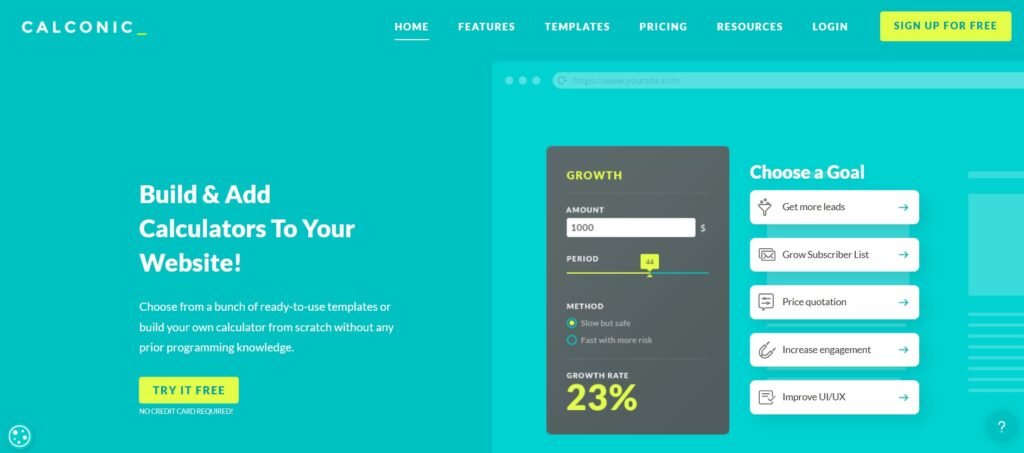
CALCONIC is the go-to builder for agencies and creatives who care about pixel-perfect alignment. Every calculator feels native to your website’s visual identity — same fonts, colors, and layout flow.
Its real strength is flexibility in presentation: you can create multi-step, visually layered experiences that feel like part of your storytelling rather than a technical add-on.
It’s also recognized as one of the top calculator builders according to a comprehensive study published on SuperbWebsiteBuilders.com.
Here’s what that looks like in practice. CALCONIC’s editor gives you control over spacing, border radius, button shape, input field height — the kind of granular adjustments that matter when a calculator sits on a premium landing page next to carefully art-directed content. You’re not adapting a template; you’re building to spec.
The logic layer handles conditional visibility: fields appear, hide, or recalculate based on what the user selected earlier. A service configurator that shows cleaning add-ons only after a user selects “deep clean” — that’s CALCONIC’s territory. The logic is built visually, without formulas, which keeps it accessible to designers and marketers who aren’t spreadsheet-native.
Lead capture is built into the flow. You can place an email or phone field at any point in the sequence — before the result, after it, or as a gated step between calculation screens. Each submission lands in your connected tools: Mailchimp, HubSpot, Google Sheets, or Zapier-routed to whatever CRM your team runs.
For e-commerce contexts, the Shopify and WooCommerce integrations turn a product configurator directly into a purchase flow — no redirect, no separate cart page. The calculator calculates the price, the user confirms, the order is placed.
Pricing starts at $12/month on paid plans, with a free demo available.
Why it stands out: Combines professional aesthetics with functional logic for brands that see UX as part of their brand identity.
2. uCalc

uCalc turns engagement into measurable business outcomes.
It’s perfect for teams that want a ready-made tool to capture qualified leads. You can design cost estimators, booking calculators or ROI tools using a drag-and-drop builder, then connect them directly to email or CRM workflows.
What makes uCalc genuinely fast is its template library — over 100 industry-ready starting points covering mortgage estimation, fitness tracking, service pricing, event planning, catering, and more. You open a template, adjust the labels and formulas to match your offer, style it to match your brand, and publish. The whole process regularly takes under an hour for a first build.
The element palette covers everything you’ll need: range sliders, number inputs, dropdowns, radio buttons, image selectors, checkboxes, and conditional result fields. Formulas are configured through a visual node system — you connect field values to outputs through a point-and-click interface, with no syntax to learn.
The lead capture mechanism is one of uCalc’s cleaner implementations. You position an email field either before the result (“enter your details to see your estimate”) or after it (“save your results”). Every submission is tagged with the input values that led to it — so your CRM doesn’t just receive an email address, it receives context: what the person was calculating, what choices they made, what number they saw.
Integrations include Google Sheets, Mailchimp, Telegram, GetResponse, Zapier, and direct CRM connections. The Telegram integration in particular is useful for businesses that run customer communication through messenger channels — submissions route directly to a bot notification in real time.
Pricing: free tier available, paid plans from $9/month.
Why it stands out: Instant publishing, lead integration and mobile-friendly performance make it the most practical choice for marketing-driven websites.
3. Calculoid
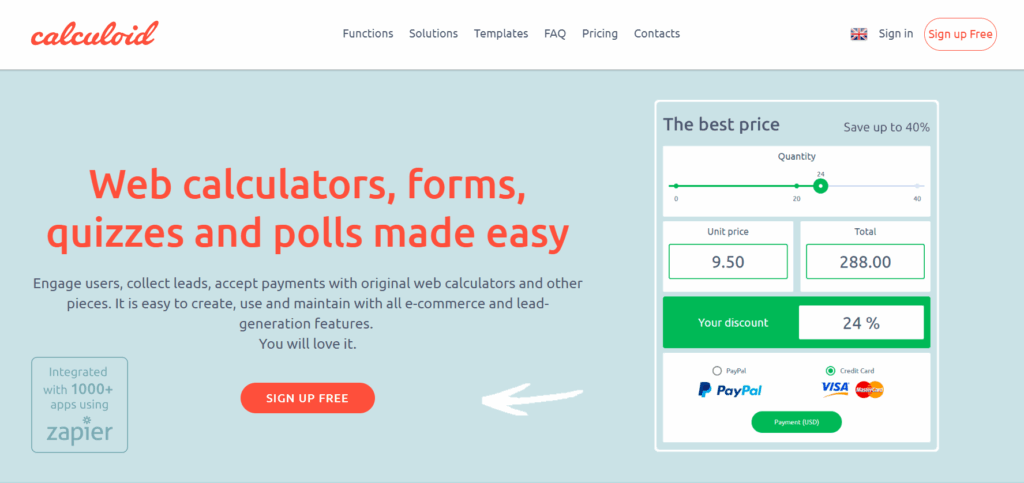
Calculoid shines in analytical environments. It’s built for SaaS, finance, and enterprise teams that need advanced formulas, logic branching and API integrations.
The formula system is the difference. Where other builders use visual node editors or simplified condition builders, Calculoid works like a spreadsheet mapped to form fields. Each input has a variable name; you write calculation rules that reference those variables directly. Multi-step chained formulas, percentage calculations, nested conditionals, and parallel outputs running from the same inputs — all of it is supported without workarounds.
This matters in specific situations. An insurance quoting tool that calculates three different coverage scenarios simultaneously based on ten input variables isn’t something you can build cleanly in a drag-and-drop editor. Calculoid handles it natively. A subscription pricing model that factors in user count, storage tier, contract length, and regional tax rates — same story.
The data layer is equally serious. Calculoid logs individual submissions with full input sets, not just contact info. You can see that a specific user calculated a quote for 200 units at a premium tier — and follow up with exactly that context. For sales teams working on high-value deals, this changes the first conversation.
Built-in payment processing (Stripe and PayPal) closes the loop between calculation and transaction. A user configures their order, sees the total, and pays — inside the calculator sequence, on the same page.
API access and webhooks let you connect Calculoid to external databases, CRMs, and automation tools beyond what standard integrations cover. For companies where the calculator is part of an operational workflow — not just a marketing widget — that extensibility is what makes the platform scale.
You can sync calculators with Google Sheets, HubSpot, or Zapier, turning every user action into measurable business intelligence.
Paid plans from $19/month.
Why it stands out: Ideal for complex use cases where every variable matters — from ROI projections to subscription modeling.
Comparative Overview: Best Calculator Builders 2025
Feature / Tool | CALCONIC | uCalc | Calculoid |
Ease of Use | Designer-friendly interface | Drag-and-drop editor, no coding | Technical, setup requires logic understanding |
Design Flexibility | Very High – full control over layout and style | High – customizable templates and colors | Medium – functional but minimal visuals |
Integrations | Email, CRM, analytics | Email, CRM, Stripe, PayPal, Google Analytics | Google Sheets, HubSpot, Zapier, APIs |
Templates Available | 60+ customizable templates | 100+ industry-ready templates | 40+ analytical templates |
Best For | Creative brands, web studios | Small businesses, marketers, agencies | SaaS, finance, enterprise tools |
Pricing | Free demo + Paid plans from $12/month | Free tier + Paid plans from $9/month | Paid plans from $19/month |
Overall Score | ⭐⭐⭐⭐½ | ⭐⭐⭐⭐⭐ | ⭐⭐⭐½ |
Summary: CALCONIC wins in design precision, uCalc leads in usability and marketing performance and Calculoid dominates in data logic and scalability.
Scene Three: The Website That Finally Converts
Weeks later, the same visitor returns.
Not because of a retargeting ad. Not because of a follow-up email sequence. Because they ran a number on your site, saw a result that made sense for them, and your brand was the one that gave it to them.
They didn’t bookmark the product page. They bookmarked the calculator.
This is what intent data actually looks like before it becomes a CRM record — a person who engaged with something specific enough that it stayed with them. They didn’t just read that you offer “flexible pricing tailored to your needs.” They saw their number. That’s a different kind of memory.
When they come back, the conversation is already halfway done. You know what they were evaluating. They know what to expect. The first call isn’t exploratory — it’s confirmatory. That’s a shorter sales cycle, a higher close rate, and a lead that required no cold outreach to warm up.
Online calculators don’t just improve UX — they redefine the moment of intent. They make the decision feel like the visitor’s own, arrived at through their own inputs, on their own schedule. That’s not a conversion trick. That’s the most honest version of a sales process a website can run.
Bottom Line
Every business tries to capture leads. Only a few earn them — by helping visitors make better decisions first.
The three tools in this article take different paths to that outcome. CALCONIC gets you there through design — when the calculator needs to belong to the page it lives on, not merely sit on top of it. uCalc gets you there through speed and connection — templates that cover most industries, an integration layer that routes every submission where it needs to go, and a lead capture mechanism that doesn’t feel like a toll gate. Calculoid gets you there through depth — when the calculation itself is the complex part, and the tool that runs it needs to be as serious as the business behind it.
None of them requires a developer. All of them can be tested before you pay. The only version of this decision you can get wrong is not making it — keeping a static site that tells people what you do instead of showing them what it means for their specific situation.
A visitor who calculates something on your site has already started working with you. The only question is whether you’ve built the tool that lets them.